Quick start
You need Rust from rustup.rs. Docker is optional.
make setup    # once: checks tools, creates .env and redlib.toml
make local    # run from source
make docker   # or build and run with Docker Compose
Open the URL printed in the console (default http://localhost:8080). Run make to list every command.
First-run setup
A fresh instance sends you to the installer at /setup:
- Choose where accounts live: SQLite, which needs no configuration, or PostgreSQL, where you paste a connection URL and setup checks it and creates the tables.
- Create the administrator, with a password of at least 12 characters.
- Review and finish. You're signed in and taken to the instance settings.
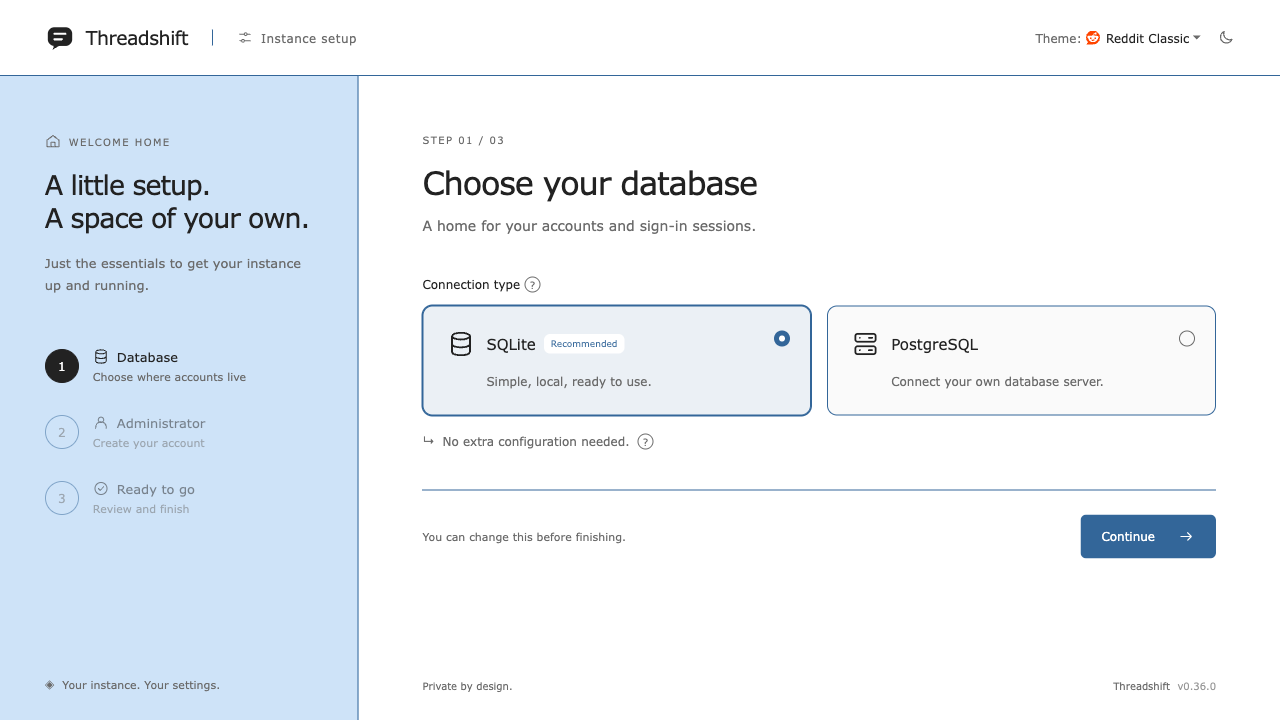
Setup only runs while there are no accounts, so finish it before anyone else can reach the instance: the first visitor creates the admin. There are no default accounts.
make local sets REDLIB_AUTH_INSECURE_LOCAL=on so sign-in works over plain HTTP. It also adds "Login as admin" and "Login as regular user" buttons to the sign-in page, which sign you in as dev-admin or dev-user (created on first use). Never set it on a server others can reach.
Run it for real
| Option | How |
|---|---|
| A single binary | make build, then run target/release/redlib from a directory holding your redlib.toml and .env values |
| Docker | Docker: Docker Compose, persistent data and reverse proxies |
| Cloudflare Workers | Cloudflare Workers: nothing to host, $5 a month |
Next: see what you can turn on in Features, and set the instance up in Settings.